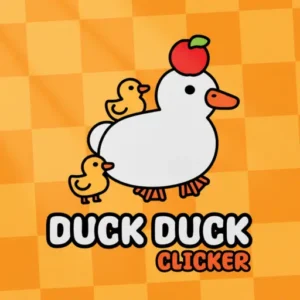
Play Duck Duck Clicker Online for free! Duck Duck Clicker is a super silly, super relaxing clicker game where every tap gently pets a giant duck and showers you with coins and ducklings. You can dress your feathery friend in hats, glasses, and shiny accessories, then upgrade its Duck Power to earn even more with each click. Whether you have two minutes before homework or a whole afternoon to chill, you can play Duck Duck Clicker online on almost any device and watch your duck universe grow bigger, brighter, and funnier with every single tap. There are no timers to rush you, just satisfying numbers that keep climbing while you relax.

- Super easy one-click gameplay that anyone can learn in seconds.
- Adorable giant duck plus tons of funny outfits and accessories.
- Idle progress so your duck empire grows even while you’re away.
- Safe, kid-friendly fun that feels both relaxing and rewarding.
What is Duck Duck Clicker?
Duck Duck Clicker is a lighthearted clicker and idle game where you repeatedly tap a huge cartoon duck to earn in-game money, often called Ducket$. It was created by a small indie team and became popular on browser game sites and mobile stores because it’s simple, charming, and strangely addictive. As you tap, you unlock upgrades that boost how much you earn per click and per second, plus outfits that turn your duck into a stylish superstar. The more you upgrade, the faster the numbers rise, until you’re earning enough to unlock the legendary Duck Universe.
Duck Duck Clicker Gameplay
The main idea is easy: click or tap the giant duck in the middle of the screen to earn coins. Those coins let you buy upgrades for Duck Power (how much you get per tap) and the Autoducker (how much you earn every second without touching anything). Many players search for Duck Duck Clicker hacks, but the real “secret” is learning which upgrades to buy first and how to balance manual tapping with idle income. Floating golden ducks sometimes drift across the screen; if you tap them quickly, they explode into bonus rewards that give your progress a huge boost.
Graphics and Sound
This version feels like a bright Duck Duck Clicker 2d cartoon, with a big white duck that fills most of the screen and a clean interface around it. Numbers pop and grow in a very satisfying way as you click, and your duck slowly turns into a fashion icon covered in hats, glasses, frames, and necklaces. Soft sound effects and gentle clicks make earning money feel pleasant instead of noisy or stressful, so it’s perfect for chilling after school.
Levels and Progression
There aren’t “levels” like in a racing or puzzle game. Instead, progression in Duck Duck Clicker comes from milestones and achievements. Early on, you’ll earn just a few coins per tap, but upgrades quickly push you into thousands, millions, and eventually mind-blowing numbers per second. Achievements unlock special items and sometimes bonus rewards, and your goals keep shifting: first, you want your first automatic upgrade, then your first million, then the Duck Planet, Galaxy, and finally Duck Universe. It feels like climbing an endless staircase of progress where every step is fun.
Upgrades, Duck Power and Autoducker
Two stats matter the most: Duck Power and Autoducker. Duck Power tells you how much you earn each time you click the duck. The Autoducker shows how much you earn per second, even without clicking. Cheaper early upgrades help you get started quickly, while expensive late-game upgrades give massive boosts. A smart strategy is to keep both stats rising together: use early coins to boost Duck Power so every tap feels strong, then invest in automatic income so your coins keep climbing even when you’re not playing.
Customization, Skins and Achievements
At the bottom of the screen, you’ll find style tabs for things like hats, glasses, frames, and necklaces. These cosmetics don’t just appear in the shop; most of them are unlocked by achievements. For example, you might need to click a certain number of times, reach a big “per click” value, or buy the same upgrade many times. Hitting these milestones rewards you with new outfits so your duck can show off your progress. It’s fun to chase a tricky achievement just to earn that one special frame or sparkling accessory.
Why Players Love Duck Duck Clicker
Kids and adults love Duck Duck Clicker because it respects your time. You can play for a few minutes, grab some upgrades, and leave the tab open while you do homework. When you come back, your duck has quietly earned more coins for you. The game never punishes you for taking a break, and there are no tricky combos to memorize. It’s all about relaxing, watching numbers grow, and turning your duck into the coolest bird in the universe.
Is Duck Duck Clicker Safe and Educational?
Yes. Duck Duck Clicker is built to be family-friendly and is very similar to the safe versions you might see on school sites, sometimes called Duck Duck Clicker Hooda Math. There’s no chatting with strangers and no scary content. At the same time, it gently teaches math concepts such as big numbers, multiplication, and making smart choices with limited resources. Teachers like it because kids practice patience, planning, and repeated reasoning while they play.
Platform
You can play Duck Duck Clicker directly in your web browser on desktop, laptop, tablet, or mobile, and you can also enjoy the official app versions on phones and tablets.
How to Play Duck Duck Clicker?
Start by opening the game and looking for the giant duck in the center of the screen. Click or tap the duck to earn your first few coins. Use those coins to buy simple upgrades that increase your Duck Power and Autoducker, so each click and each second become more valuable. If you’ve tried a Duck Duck Clicker Unblocked version at school, you’ll notice the rhythm is the same here: tap a lot at the beginning, then slowly let the automatic upgrades do more of the work while you focus on smart decisions and fun customization.
Instructions and Controls
- Left Mouse Button / Tap – Click the duck to earn coins.
- Hold Click (on some devices) – Rapid-fire tapping for faster earnings.
- Number Keys 1–4 – Switch between style tabs like hats, glasses, frames, and necklaces.
- Esc or Gear Icon – Open the settings menu.
- M – Mute or unmute the game sounds.
- Click Floating Golden Ducks – Grab surprise bonus rewards instantly.
Tips and Tricks for Duck Duck Clicker
- Upgrade Duck Power early so every single tap feels strong and satisfying.
- Grab Autoducker upgrades as soon as you can so the game keeps earning for you while you’re away.
- Never ignore golden ducks; they often drop huge temporary boosts or piles of coins.
- Chase achievements to unlock new outfits instead of saving every coin for stats.
- Set your own Duck Duck Clicker world record for most clicks in a minute and try to beat it later.
Features of Duck Duck Clicker
- Simple click-to-earn gameplay that’s perfect for ages 8–13.
- Dozens of upgrades that boost Duck Power and automatic income.
- Collectible hats, glasses, frames, and necklaces to style your duck.
- Idle progress and offline-style earnings when you leave the tab open.
- 100% free to play in your browser or on mobile devices.
Duck Duck Clicker Online
You don’t need a powerful computer or console to enjoy Duck Duck Clicker online. Just open your favorite browser, load the game, and start tapping. Some people talk about Duck Duck Clicker 6x versions on different school-friendly websites, but they all work in the same simple way: a giant duck, a growing number counter, and many upgrades to unlock. Playing online means you can switch between homework and duck-tapping in seconds, without any installs.
Duck Duck Clicker for Free
Duck Duck Clicker is designed as a free game, so you can start playing without paying for a download or a subscription. You can practice quick clicking, long-term planning, and achievement hunting at no cost. Just open the game, and you’re in. It’s a great choice when you want something fun to do during a short break that won’t drain your allowance.
Download Duck Duck Clicker
On Android
To get the official Duck Duck Clicker download on Android, open the Google Play app on your device and search for the game by name, or tap here to go directly: Download on Google Play. Once it’s installed, you can tap your duck anywhere, even without a computer.
On iPhone or iPad
If you’re using iOS, open the App Store and search for Duck Clicker, then install the official app, or tap this link: Download on the App Store. After that, the game lives on your Home Screen so you can play whenever you have a spare moment.
APK Duck Duck Clicker
You might see websites offering a Duck Duck Clicker APK, but the safest option is always to use the official stores on Android and iOS. That way, you know the game is updated, secure, and works correctly on your device.
On PC
On a computer, you don’t need to download anything at all. Just open your browser, search for Duck Duck Clicker, and load the web version. It runs quickly on most school and home computers, and you can keep the tab open in the background while you work on other tasks.
Can You Play Duck Duck Clicker Unblocked?
In many schools and libraries, clicker games like Duck Duck Clicker are allowed because they’re simple and safe. That’s why people often talk about Duck Duck Clicker Unblocked at places like duck-clicker.com. Of course, every network has its own rules, so if a site is blocked, you may need to ask an adult or try again at home, but usually this game runs fine in a regular browser without any special tricks.
Duck Duck Clicker Unblocked 76
Some players use the phrase Duck Duck Clicker Unblocked 76 to describe versions of the game found on popular unblocked game hubs. No matter where you play, the main thing to check is that the game loads in your browser, responds smoothly to clicks, and saves your progress properly.
Duck Duck Clicker Extension
In the future, if an official browser extension is released, you’ll be able to install it directly from your browser’s extension store to pin the game to your toolbar. Until then, adding Duck Duck Clicker to your bookmarks is an easy way to access it with a single click.
Similar Games to Duck Duck Clicker
If you’re a fan of Clicker Games, you’ll definitely enjoy these too:
FAQs About Duck Duck Clicker
What is the main goal in Duck Duck Clicker?
Your goal is to tap the giant duck to earn coins, then spend those coins on upgrades and outfits. Little by little, you’ll turn a sleepy duck into a powerful money-making machine and unlock bigger worlds, from small ponds all the way to the Duck Universe.
How do I get more Duck Power and Autoducker?
Look at the upgrade list on the right side of the screen. Each upgrade shows how much it will increase your Duck Power or Autoducker and how much it costs. Buy cheap upgrades first to grow quickly, then move to big, expensive ones once your income is high. Try to keep both stats rising so your clicks and your idle earnings stay strong.
Can I use Duck Duck Clicker hacks to get infinite coins?
Trying to use Duck Duck Clicker hacks is risky and usually ruins the fun. Unofficial tools can break the game, wipe your progress, or bring unsafe files onto your device. The game is already designed so that numbers grow very fast if you buy upgrades wisely, so it’s much better to play fairly and enjoy watching your real progress climb.
What is Duck Duck Clicker Scratch edition?
When people mention Duck Duck Clicker Scratch, they’re usually talking about fan-made projects inspired by the game that are built in kid-friendly coding tools. These versions are great for learning how clickers work behind the scenes, but they’re separate from the official browser and mobile game.
What does Duck Duck Clicker Unblocked mean at school?
If someone says a site has Duck Duck Clicker Unblocked, they mean you can open and play the game on school or work networks without it being blocked by filters. This usually depends on your school’s rules, but many educational or kid-safe game sites allow clickers because they’re simple and non-violent.
Why do some people call it Duck Duck Clicker Hooda Math?
Some students first discover the game on math-focused websites and then refer to it as Duck Duck Clicker Hooda Math. That nickname just means they played a safe school version that teachers like, since the game encourages counting, pattern spotting, and long-term planning in a playful way.
Is Duck Duck Clicker safe for kids?
Yes. Duck Duck Clicker has no graphic content, chat boxes, or scary surprises. The gameplay is all about clicking, upgrading, and customizing a silly duck. That makes it a comfortable choice for kids and a relaxing break for parents and teachers.
How do I download Duck Duck Clicker on my phone or tablet?
For a safe Duck Duck Clicker download, always use the official Google Play Store on Android or the Apple App Store on iPhone and iPad. Search for the game by name, tap install, and you’ll have the same fun duck-tapping experience in your pocket.
What is the Duck Duck Clicker world record for clicks?
There’s no official Duck Duck Clicker world record because different players use different devices and versions. Instead of chasing a global record, try making your own challenge, like “most clicks in 60 seconds” or “fastest time to one million coins,” and beat your personal best.
What’s the difference between Duck Duck Clicker 2D and 3D?
Players sometimes compare this game, which feels like the original Duck Duck Clicker 2d experience, to newer 3D versions with updated graphics and extra upgrades. The core idea stays the same in both: click the duck, earn money, buy upgrades, and unlock outfits, just with a different visual style.
Does Duck Duck Clicker save my progress?
Most versions save your data automatically in your browser or app. As long as you use the same device and don’t clear your game data, you should see your coins, upgrades, and outfits waiting for you the next time you play.
Can I play Duck Duck Clicker with friends?
There isn’t a built-in multiplayer mode, but you can still turn it into a friendly competition. Share your biggest totals, fastest runs, or funniest duck outfits with friends and see who can build the craziest duck empire.
Conclusion
Duck Duck Clicker is a cozy, clever clicker game where every tap makes your duck stronger, richer, and more stylish. With easy controls, smart upgrades, and silly customization, it’s perfect for quick breaks or long, relaxing sessions. Open the game, start tapping, and see how far your duck universe can grow today.