Play Minecraft Classic Online for free! Step into a time machine and experience the block-building phenomenon exactly as it was in 2009. This isn’t just a game; it is a piece of internet history brought back to life by Mojang for the franchise’s 10th anniversary. You don’t need a fancy gaming PC or a console to join the fun—just your web browser and a spark of creativity. Dive into a world where everything is simple, sunny, and ready for your architectural genius. 🧱✨
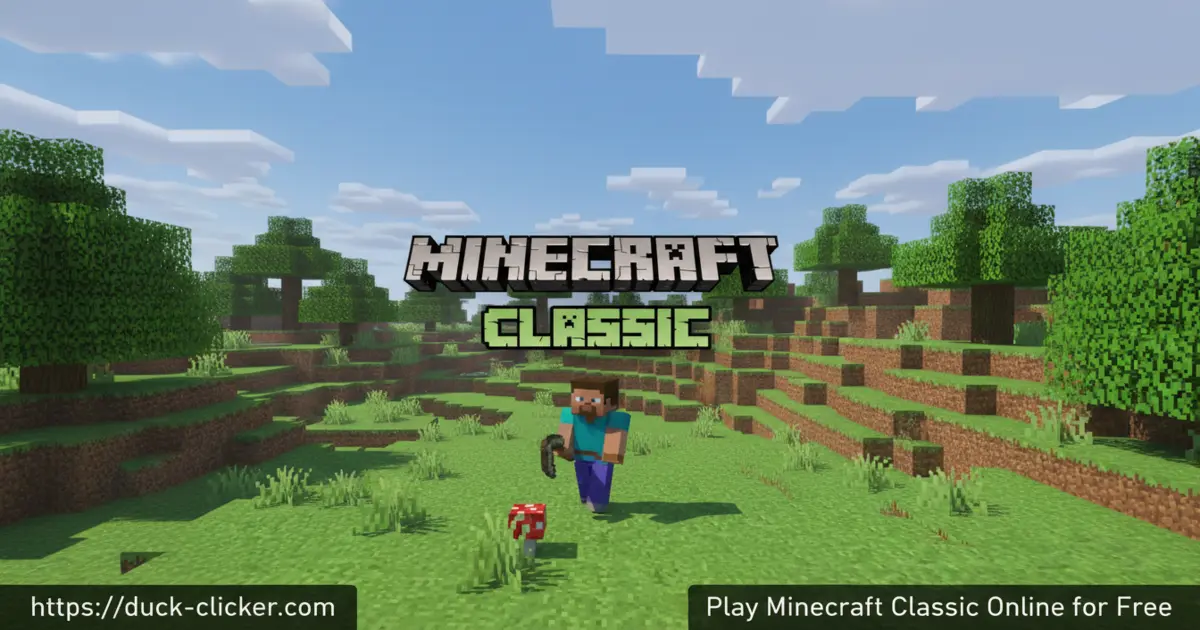
- Build with 32 original blocks
- Invite up to 8 friends instantly
- No survival mode—just pure creativity
- Works on any browser without installing
What is Minecraft Classic?
Minecraft Classic is a special re-release of the very first version of the world’s most popular sandbox game. Developed by Mojang, this version takes you back to the alpha days before creepers, crafting tables, and health bars existed. It is a pure creative building experience where you have unlimited blocks to construct castles, parks, or giant statues. Because it runs directly in your browser using WebGL, you can play Minecraft Classic unblocked on almost any device, making it perfect for quick gaming sessions.
Minecraft Classic Gameplay
The gameplay in Minecraft Classic is wonderfully simple. You spawn in a procedurally generated world made of dirt, trees, water, and sand. Unlike the modern version, there is no survival mode here—you cannot die, drown, or take fall damage. Your only goal is to build! You have access to a nostalgic inventory of 32 basic blocks, including colorful wool, stone, and wood. One of the best features is the Minecraft Classic multiplayer option. You can generate a unique link to share with friends, allowing them to jump into your server instantly and build alongside you.
Graphics and Sound
Get ready for a blast of nostalgia! The graphics are delightfully retro, featuring the original bright green grass and simple textures that started the voxel craze. The sound effects are minimal but iconic, with the classic footstep sounds and block-breaking noises. You can even toggle the famous “fog” distance using the F key to make the world feel mysterious or endless. 🌫️
Levels and Progression
Since this is a sandbox game, there are no levels to beat or bosses to defeat. Progression is entirely up to you and your imagination. The challenge lies in what you can create with a limited palette of blocks. Can you build a sprawling city or a replica of your school? The world is your canvas, and there are no limits to how high or wide you can build in this flat or hilly terrain.
Differences from Modern Minecraft
If you are used to the newest updates, Minecraft Classic feels different. There is no crafting, no inventory management, no night cycle with monsters, and no water physics (water spreads instantly!). It is much simpler, focusing 100% on placing and breaking blocks. This makes it easier for younger players to pick up and play without having to learn complex recipes.
Platform
You can play Minecraft Classic directly in your web browser on desktop, laptop, tablet, or mobile.
How to Play Minecraft Classic?
Jumping into the game is super easy. Once the game loads, you pick a username and start building immediately. You can choose to play solo or copy the host link to let friends join your world. Mastering the controls is key to becoming a master builder in this pixelated universe.
Instructions and Controls
- WASD – Move your character
- Space – Jump
- B – Open Build Menu (Select Blocks)
- Left Click – Place or Remove Blocks
- Right Click – Toggle between Place/Remove mode
- G – Spawn little human mobs
- Enter – Save your current location
- R – Respawn at your saved location
- F – Toggle Fog distance
Tips and Tricks for Minecraft Classic
- Press ‘B’ immediately to see all 32 blocks available to you. 🧱
- Use the ‘G’ key to spawn funny human characters running around. 🏃
- Press ‘Enter’ to save your spot before exploring caves so you don’t get lost. 📍
- Share your world link with friends for a massive building party. 🤝
- Use colored wool to create pixel art on the ground or in the sky. 🎨
Features of Minecraft Classic
- Original 32-block inventory
- Instant multiplayer via shareable link
- Procedurally generated 3D worlds
- Nostalgic alpha-version physics
- 100% free browser gameplay
Minecraft Classic Online
One of the biggest advantages of this version is its accessibility. You can play Minecraft Classic online from any computer with an internet connection. It connects seamlessly, allowing real-time multiplayer fun without accounts, passwords, or heavy updates.
Minecraft Classic for Free
This game is completely free to play. Mojang released it as a gift to the community, ensuring that everyone can experience the roots of the franchise. There are no microtransactions, no skins to buy, and no hidden costs—just free, wholesome building fun.
Download Minecraft Classic
On Android
Download on Google Play.
On iPhone or iPad
Download on the App Store.
APK Minecraft Classic
For the safest experience, we recommend playing directly in the browser or using the official store links above rather than downloading third-party APK files.
On PC
No download is required for PC! Simply open your favorite web browser (like Chrome or Firefox) and start playing instantly right here.
Can You Play Minecraft Classic Unblocked?
Yes! Because it is an HTML5 browser game, you can often play Minecraft Classic unblocked at school or work on duck-clicker.com. It doesn’t require complex installation permissions, making it a favorite for quick breaks.
Minecraft Classic Unblocked 76
If you are looking for unblocked versions, our site offers a secure and smooth version of the game that loads quickly and saves your progress per session.
Minecraft Classic Extension
While there are browser extensions available, playing directly on the website ensures you always have the latest, most stable version of the game.
Similar Games to Minecraft Classic
If you’re a fan of Arcade Games and building, you’ll definitely enjoy these too:
-
Motherload
-
Bloxd.io
-
Paper Minecraft
-
CubeRealm.io
-
Miniblox
FAQs About Minecraft Classic
Is Minecraft Classic free to play?
Yes, absolutely! Minecraft Classic was released as a free browser game to celebrate Minecraft’s 10th anniversary. You do not need to buy anything to play it.
Can I play multiplayer in Minecraft Classic?
Yes, you can! When you start the game, you will see a link at the top of the menu. Copy and share that link with up to 8 friends, and they can join your world instantly for multiplayer fun.
Why are there only 32 blocks?
This version represents the game as it was in 2009 during its alpha phase. Back then, there were only 32 blocks available, such as dirt, stone, wood, sand, and colored wool. It is part of the nostalgic challenge!
Is there a survival mode in Minecraft Classic?
No, Minecraft Classic is purely Creative mode. There are no health bars, hunger, or monsters that attack you. The focus is entirely on building and exploring with friends.
Can I save my world in Minecraft Classic?
The web version does not have a permanent cloud save feature like the modern game. Your level might stay if you don’t close the browser tab, but it is best to treat it as a temporary session for fun building.
Conclusion
Minecraft Classic is a charming window into the past, offering a simple yet addictive building experience that anyone can enjoy. Whether you are a veteran player looking for nostalgia or a new player wanting to see where it all began, this game delivers hours of creative entertainment. With no downloads and instant multiplayer, it is the perfect way to build memories with friends. So, grab your blocks and start building your masterpiece today!