Play Planet Clicker Online for free! Build a whole mini solar system just by clicking, tapping, and planning smart upgrades. In Planet Clicker, you start on tiny, familiar Earth and slowly turn it into a huge energy factory, then unlock new planets packed with even bigger boosts. The rules are simple, but the choices feel exciting: Do you power up your clicks, buy auto-generators, or rush to the next world? Whether you usually enjoy racing or stunt games or calm idle titles, this space adventure is perfect for quick breaks, chill play sessions, and long-term goals all in one.
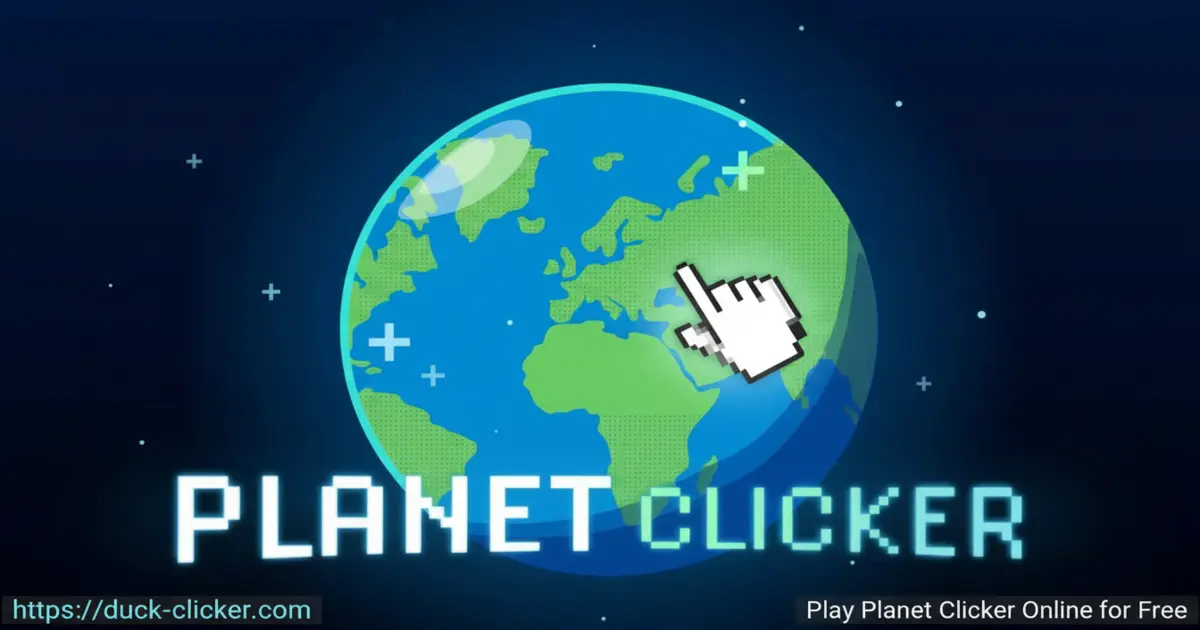
- Easy one-button gameplay that anyone can learn in seconds. 🚀
- Unlock Earth, Mars, and Venus, each with unique upgrades and energy styles.
- Idle progress lets your energy grow even while you’re doing homework. 😎
- Perfect for kids who love space, numbers, and watching big numbers explode upward.
What is Planet Clicker?
Planet Clicker is a space-themed clicker game where every tap creates energy you use to upgrade and expand your own mini universe. It was created by indie developer Coltroc and first appeared online around 2020. The game is played right in your browser and is designed as a relaxing idle experience: you start on Earth, earn energy by clicking, then spend it on farms, power plants, and futuristic technology. As your power level climbs, you unlock new planets and discover the most efficient way to grow your interplanetary empire.
Planet Clicker Gameplay
In Planet Clicker, you begin with simple clicks on Earth that each generate a tiny bit of energy. Very quickly, you open the shop and buy upgrades that boost energy per click and add automatic generators that work for you in the background. When your numbers get big enough, you can purchase Mars and later Venus, each offering stronger buildings and special tech. The fun comes from watching your energy skyrocket while you decide which upgrades are best. If you enjoy the style, you can also check out later versions, like Planet Clicker 2, for more planets and new ideas.
Graphics and Sound
Planet Clicker keeps things clean and colorful, so the screen never feels confusing. Each planet has its own look: blue and green tones for Earth, dusty reds for Mars, and bright fiery shades for Venus. The buttons are large and easy to read, perfect for kids playing on laptops, tablets, or phones. Gentle sound effects add a satisfying “click” and energy feedback without being too loud or distracting, so it still feels calm and cozy even when your numbers are racing upwards. 🎧
Levels and Progression
Instead of classic “levels,” Planet Clicker uses progression through planets and upgrades. You begin on Earth with basic buildings like farms and simple power plants. After building a strong base and collecting enough energy, you unlock Mars, which introduces stronger sources such as solar power, oil, and even alien technology. The final big step is Venus, an expensive world that costs around a trillion energy, but rewards you with some of the most powerful upgrades in the game, including mysterious future technology that makes your whole empire feel supercharged.
Upgrades and Future Technology
Upgrades are the heart of Planet Clicker. You can boost each click, add auto-generators, or unlock brand-new tech that multiplies all your earnings at once. Early on, tap upgrades matter most because you’re doing the clicking yourself. Later, automatic buildings take over, so you earn energy even if you’re not touching the mouse. The ultimate goal is to reach the top-tier “future technology” on Venus, one of the strongest and most expensive upgrades in the game. Choosing when to save and when to spend is what makes Planet Clicker feel strategic instead of just random tapping.
Why Players Love Planet Clicker
Players love Planet Clicker because it feels relaxing but still rewarding. The rules are simple enough for younger kids, yet the upgrade choices stay interesting for older players too. You can play for just a few minutes, grab some upgrades, and close the tab, or you can let it run while you do something else and come back to a giant pile of energy. There’s no pressure, timers, or scary fail screens—only your growing planets and your rising energy count. It’s a great break from intense riding or racing games when you want calm progress instead of high-speed action.
Is There a Planet Clicker Series?
The original Planet Clicker is the classic browser version most people know. After it became popular, more versions and fan projects appeared. Planet Clicker 2 adds extra planets and modern graphics while keeping the same core idea of growing an energy empire. Around the web, you might also see names like Planet Clicker 3, Planet Clicker 4, Planet Clicker 5, Planet Clicker 6, or even Planet Clicker 10. These usually refer to follow-ups or fan-made clicker experiments that build on the same space-energy theme and give you even more worlds to explore.
Platform
You can play Planet Clicker directly in your web browser on desktop, laptop, tablet, or mobile.
How to Play Planet Clicker?
Planet Clicker is very easy to learn and perfect for kids who like watching numbers grow. Start on Earth and click the planet to make energy. Open the shop to buy upgrades that boost the amount of energy you gain per click or per second. When your total reaches a high enough level, unlock Mars and Venus for stronger buildings and special technologies. You don’t need to rush; play Planet Clicker online at your own pace, check your numbers, and pick the upgrades that feel most exciting. If you’ve tried browser projects like Planet Clicker Scratch, you’ll feel right at home here.
Instructions and Controls
- Left-click with your mouse or tap the planet on touchscreens to generate energy.
- Use the shop buttons to buy click power, farms, power plants, and other generators.
- Click the arrows or planet icons (if shown) to switch between Earth, Mars, and Venus.
- Watch your energy per second to see which upgrades help you the most.
- Leave the tab open so automatic buildings keep producing energy while you do other things.
- On mobile, tap with more than one finger to click faster, but keep your screen safe.
Tips and Tricks for Planet Clicker
- Upgrade your click power early so every tap gives a big burst of energy. ⚡
- Buy automatic generators as soon as you can so your energy grows even while you’re away. 😴
- Unlock Mars quickly; its stronger factories and tech make your whole empire jump ahead.
- Don’t save forever for one massive upgrade—many smaller boosts often grow your planet faster.
- Keep checking each planet so you never miss a cheap new upgrade that speeds up your progress.
Features of Planet Clicker
- Simple click-and-tap gameplay that’s perfect for beginners.
- Three planets to unlock, each with its own upgrade path and energy style.
- Powerful late-game “future technology” that makes numbers explode.
- Idle progress that continues while your browser tab stays open.
- 100% free to play in your browser with no sign-ups required.
Planet Clicker Online
Planet Clicker runs completely in your browser, so you don’t need to install anything to start building your space empire. Just open the game page on your device, wait a moment for it to load, and begin clicking Earth to earn your first energy. Because everything happens online, you can play Planet Clicker online from school Chromebooks, home PCs, tablets, and many phones, as long as they have a modern web browser and a stable internet connection.
Planet Clicker for Free
Planet Clicker is a totally free game, so you can jump in without paying or creating an account. There are no paywalls blocking planets or upgrades; every part of the experience is unlocked just by playing, clicking, and planning your upgrades smartly. That makes Planet Clicker a great choice for kids who want a safe, budget-friendly game where effort and patience matter more than money, and where every bit of progress comes from your own choices.
Download Planet Clicker
On Android
Download on Google Play to enjoy a mobile space idle-clicker experience that feels similar to Planet Clicker, with touch controls that are perfect for phones and tablets.
On iPhone or iPad
Download on the App Store to tap and grow your planets on iOS devices, turning quick spare moments into galaxy-building sessions wherever you are.
APK Planet Clicker
If you’re thinking about an APK for Planet Clicker, always choose safe options. For kids and families, the best choice is to install only from official stores like Google Play or the App Store instead of random download sites, so your device stays protected while you enjoy clicker fun.
On PC
On PC, the easiest way to enjoy Planet Clicker is to open your browser and go to the game page on https://duck-clicker.com. There’s no launcher or extra program needed—just load the site, start clicking Earth, and watch your energy climb higher and higher as you unlock new planets.
Can You Play Planet Clicker Unblocked?
Yes, you can usually play Planet Clicker unblocked right in your browser, even on many school or library networks. Because it’s a simple educational-style clicker with math and strategy elements, it often works where heavier games are blocked. Visiting https://duck-clicker.com in a modern browser is one of the easiest ways to enjoy Planet Clicker unblocked without dealing with risky mirror sites or confusing downloads.
Planet Clicker Unblocked 76
When people search for “Planet Clicker Unblocked 76,” they’re usually looking for a version that runs smoothly on school Chromebooks and classroom computers. The browser version here is designed to be lightweight, so it loads quickly and plays well on most devices. Just make sure your browser is up to date, then click, upgrade, and colonize planets without worrying about complicated installs.
Planet Clicker Extension
Some players like using a browser extension so they can open their favorite games with one click. If an official Planet Clicker extension appears in your browser’s extension store one day, install it from there only, never from random files. Until then, you can simply bookmark the game page so your space adventure is always one tap away.
Similar Games to Planet Clicker
If you’re a fan of Clicker Games, you’ll definitely enjoy these too:
FAQs About Planet Clicker
What is the main goal in Planet Clicker?
The main goal in Planet Clicker is to generate as much energy as possible, then use it to unlock upgrades and new planets. You start small on Earth and slowly grow into a giant space empire filled with powerful machines and futuristic technology.
How many planets can you unlock in Planet Clicker?
In the classic browser version of Planet Clicker, you can unlock three main planets: Earth, Mars, and Venus. Earth is your starting world, Mars brings stronger factories and alien tech, and Venus is the pricey late-game planet with the strongest upgrades.
What is the best upgrade in Planet Clicker?
Many players consider the “future technology” upgrades on Venus to be the best in Planet Clicker, because they’re very expensive but massively boost your overall energy production. Still, the smartest strategy is to balance big upgrades with cheaper ones, so you keep growing steadily.
Does Planet Clicker save your progress?
Some versions of Planet Clicker don’t save progress, while others may keep your game in the browser until you clear data. Because of this, it’s a good idea to plan your sessions and try to reach big goals like new planets or major upgrades before you close your tab.
Can you play Planet Clicker on mobile?
Yes, Planet Clicker can be played in the browser on many phones and tablets, as long as they have an updated web browser. You tap the planet instead of clicking with a mouse, which makes it feel natural on touchscreens during car rides or on the couch.
How do you unlock Mars and Venus in Planet Clicker?
To unlock Mars, keep clicking and upgrading on Earth until you reach the required energy cost, then buy Mars from the planet menu or shop. After building strong generators on Mars, save a huge amount of energy to purchase Venus, which is the most expensive and most powerful planet in the game.
What is Planet Clicker Scratch?
Planet Clicker Scratch is a version of the game created with the Scratch coding platform. It keeps the same idea—clicking planets to earn energy and buying upgrades—but is built so kids and beginners can see how the project works, learn about coding, and even remix their own versions.
Is there a Planet Clicker 2 or other sequels?
Yes, there is a popular follow-up called Planet Clicker 2 that adds more planets, polish, and features while keeping the same core energy-clicking gameplay. Around the internet, you may also see extra versions titled Planet Clicker 3, Planet Clicker 4, Planet Clicker 5, Planet Clicker 6, or Planet Clicker 10, which are usually fan games or later spin-offs inspired by the original idea.
Is Planet Clicker safe and kid-friendly?
Planet Clicker is designed as a kid-friendly idle game with no violent content, no chat, and no scary jumps. It helps practice basic number sense, multiplication feeling, and planning, because kids think about which upgrade gives the best value for their energy.
Can you play Planet Clicker unblocked at school?
In many schools, you can play Planet Clicker unblocked because it runs in the browser and focuses on math-style resource management instead of heavy action. If your school allows gaming sites like https://duck-clicker.com, you’ll likely be able to enjoy a quick session of Planet Clicker unblocked during free time.
Is Planet Clicker free to play?
Yes, the browser version of Planet Clicker is free to play. You don’t need to pay, sign up, or download anything to start clicking, unlocking planets, and testing different upgrade strategies.
Conclusion
Planet Clicker turns simple clicking into a relaxing space adventure where your choices shape a whole mini universe. With three unique planets, powerful upgrades, and idle progress that continues while you’re away, it’s a perfect mix of fun and light strategy for kids and families. Open the game on your favorite device, start tapping Earth, and see how fast you can grow your energy empire—then push yourself to reach future technology and beyond.