Play Idle Breakout Online for free! Build a crazy brick-smashing machine, watch colorful balls fly everywhere, and relax while the game keeps earning coins for you. This idle brick breaker mixes simple clicks, smart upgrades, and huge numbers into one super satisfying loop. You can play Idle Breakout online in your browser at home, at school, or on a laptop with no sign-ups or installs. Start small, unlock powerful new balls, and see how far your brick-busting skills can go. 💥
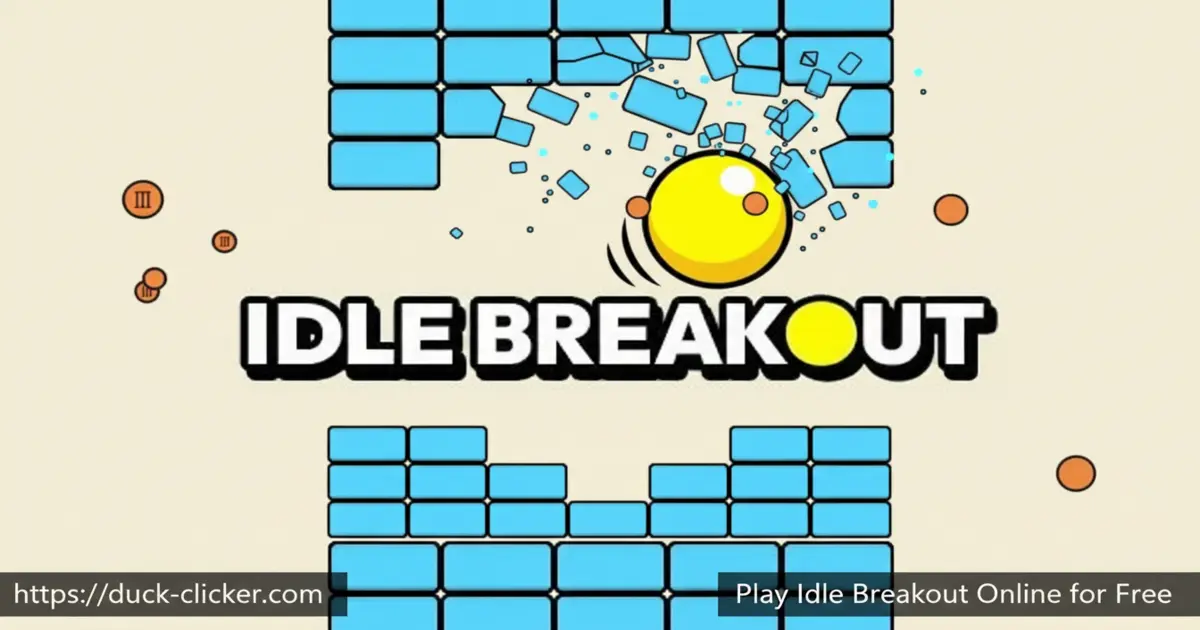
- Relaxing idle brick-breaker, you can leave running while you do homework or chill.
- Lots of different balls and upgrades with unique powers and crazy effects.
- No lives or time limits, just endless levels and giant damage numbers.
- Runs right in your browser on most school Chromebooks, tablets, and home computers.
What is Idle Breakout?
Idle Breakout is a clicker and idle game created by indie developer Kodiqi, inspired by the classic arcade game Breakout. Instead of moving a paddle, you fill the screen with bouncing balls that automatically smash numbered bricks. Each brick shows how many hits it needs before it explodes into coins. You spend those coins to buy new ball types, boost their power, and unlock special abilities. The result is a chill, endlessly progressing brick-busting factory that grows from a single lonely ball into a wild storm of projectiles and flashing blocks.
Idle Breakout Gameplay
Whether you play Idle Breakout mobile or in a desktop browser, the idea is simple: destroy bricks as fast as you can. At the start, you click bricks to damage them and earn your first coins. Then you buy your first basic balls. From that moment, the game starts playing itself, as balls bounce around the screen and hit bricks for you. Your job is to think like a builder and a scientist: which balls should you buy next, what should you upgrade, and when should you save up for a big purchase? As the levels climb, the numbers on the bricks skyrocket, and watching your damage race higher feels super satisfying.
Graphics and Sound
Idle Breakout keeps things clean and colorful, so it’s easy to follow the action. Bricks use bright colors and clear numbers, so you always know which ones are weak and which are tough bosses. The balls leave little trails and flashes when they hit, turning the screen into a mini fireworks show. Sound effects are light and clicky, with simple pops and pings that make every hit feel rewarding without being too loud. Once you unlock thousands or even millions of broken, the constant popping feels like a funny little celebration every second. 🎵
Levels and Progression
There’s no final level in Idle Breakout; the game is designed to be almost endless. Each new level adds tougher bricks with higher health and special boss stages that really test your damage. When progress slows down, you can use the Prestige system to reset your run in exchange for Gold Bars and powerful permanent bonuses. These bonuses make your next run much faster, let you unlock a skill tree, and even add things like laser beams that fire automatically. Over time, you’ll push to higher and higher levels, beat stronger bosses, and watch your damage numbers grow from tiny digits into gigantic, screen-filling values.
Balls and Special Upgrades in Idle Breakout
The coolest part of Idle Breakout is building your perfect team of balls. Basic balls are cheap and simple. Plasma balls splash damage onto nearby bricks. Sniper balls aim straight for the closest target. Scatter balls explode into a cloud of mini balls that clear whole chunks of the board at once. Cannonballs blast straight through lines of bricks, and poison balls infect bricks, causing them to keep taking damage over time. On top of that, you can unlock temporary power-ups that double your money, flood the screen with bonus balls, or create huge explosions. Mixing these balls and boosts together is where the big-brain strategies come into play.
Why Players Love Idle Breakout
Players love Idle Breakout because it’s both relaxing and strategic at the same time. You can let it run in the background while you read, draw, or study, then jump back in to spend your cash on clever upgrades. There’s no way to “lose,” so it never feels stressful, only satisfying. Many kids first discovered the game through the Idle Breakout Hooda Math version at school or other learning sites, and then kept playing it at home because the progress feels endless. Watching hundreds of balls bounce around and melt giant boss bricks is almost hypnotic, which makes this the perfect game for quick breaks or long sessions.
Platform
You can play Idle Breakout directly in your web browser on desktop, laptop, tablet, or mobile, without needing to install anything.
How to Play Idle Breakout?
Playing Idle Breakout is easy to learn and fun to master. Start by clicking on any brick to lower its number. When the number hits zero, the brick breaks, and you earn coins. Spend those coins on your first balls so they can bounce around and do the work for you. Keep buying and upgrading balls, unlocking stronger types as you go. You can also activate power-ups, fight boss bricks with tons of health, and eventually Prestige to restart with powerful bonuses. No download of the Idle Breakout is needed for your browser—just press play and start breaking bricks.
Instructions and Controls
- Mouse Left Click – Hit bricks, press buttons, and activate power-ups.
- Hold Left Click – Focus damage on a single brick for faster breaking.
- Number Keys 1–9 – Quickly buy different ball types if the game supports hotkeys.
- P – Pause or open the in-game menu in many versions.
- M – Mute or unmute the game sounds.
- Esc – Open main options or quit to the title screen.
Tips and Tricks for Idle Breakout
- Buy a few cheap balls early, then save for stronger balls like plasma or sniper for huge value. ⭐
- Upgrade damage before speed if bricks feel too tanky; big hits matter more than tiny pings.
- Use powerful click or money power-ups during boss levels to melt their health bars.
- Prestige when progress slows down; the permanent bonuses make every new run much faster. 🚀
- Keep your browser tab open while you do other things so the game can keep earning for you.
Features of Idle Breakout
- Endless levels with tougher bricks, boss stages, and massive health numbers.
- Multiple ball types with unique powers, from splash damage to poison and laser-like shots.
- Prestige, Gold Bars, and a skill tree that make future runs stronger and more exciting.
- Simple one-click controls that are perfect for kids and casual players.
- 100% free-to-play brick-breaking idle game you can enjoy in your browser.
Idle Breakout Online
Idle Breakout online loads right in your browser, so you can start playing in seconds on duck-clicker.com. There’s no account, launcher, or big client to set up. Just open the game page, press play, and watch the bricks explode. Because it’s browser-based, you can switch between schoolwork, videos, and your brick-busting factory with just a couple of clicks.
Idle Breakout for Free
Idle Breakout is completely free to play. You don’t need to pay to unlock balls, levels, or basic features. Some versions may show ads or offer optional purchases, but you can enjoy the full brick-smashing experience without spending money. That makes it a perfect choice if you want a long-lasting game that respects your wallet and your time.
Download Idle Breakout
On Android
On Android devices, you can enjoy similar brick-breaking idle fun by using the official Google Play link here: Download on Google Play. Many players search for “Idle Breakout Play store”, and while the app name might be slightly different, the gameplay still scratches that same brick-busting itch.
On iPhone or iPad
If you’re on iOS, you can try a similar style of idle brick breaker by installing it from Apple’s store: Download on the App Store. This lets you enjoy tap-and-watch brick-breaking action anywhere you go.
APK Idle Breakout
You might see websites offering an “Idle Breakout APK” download, but it’s always safest to use the official Google Play or Apple App Store instead of random APK sites. Official stores check apps for safety, while unknown downloads can hurt your device or steal data. Stick to trusted stores and use the latest browser versions for the safest experience.
On PC
On PC or laptop, the easiest way to enjoy Idle Breakout is to play in your browser on duck-clicker.com. You don’t need any special launcher or installation, and the game works great on Windows, Mac, and most school Chromebooks as long as your browser is up to date and supports HTML5.
Can You Play Idle Breakout Unblocked?
Yes! You can enjoy Idle Breakout unblocked in most schools and libraries by playing it directly in the browser. Duck-clicker.com focuses on safe, school-friendly versions of games, so you can usually load the game on classroom laptops or Chromebooks during free time or breaks. Just remember to follow your school’s rules and only play when it’s allowed.
Idle Breakout Unblocked 76
You might see names like “Idle Breakout Unblocked 76” or similar numbers on the web. These usually just mean different mirror sites that host the same basic game. The gameplay is still the same: click bricks, buy balls, and destroy everything on the screen. For the safest, cleanest version, it’s better to stick with trusted sites instead of random mirrors.
Idle Breakout Extension
Some browsers may offer an Idle Breakout extension in their extension store that lets you open the game with one click from your toolbar. If you decide to install one, always choose it from the official browser extension store and check reviews first to ensure it’s safe.
Similar Games to Idle Breakout
If you’re a fan of Idle Games and Clicker Games, you’ll definitely enjoy these too:
FAQs About Idle Breakout
What is Idle Breakout about?
Idle Breakout is about breaking as many numbered bricks as possible using a team of bouncing balls. You start by clicking bricks yourself, then slowly build a huge automatic brick-busting machine that earns coins even when you’re not paying close attention.
How do you play Idle Breakout for beginners?
For beginners, focus on three steps: click bricks to earn money, buy a few basic balls, then upgrade their damage. Once your balls are doing most of the work, save up for stronger ball types like plasma or sniper. Don’t worry about a perfect strategy at first—just keep improving your damage, and you’ll climb levels naturally.
What are the best balls and upgrades in Idle Breakout?
Many players love plasma balls for their splash damage and cannonballs for huge straight-line hits. Sniper balls are great for cleaning up the last few bricks, while scatter balls are amazing for covering the whole board. The “best” setup depends on your play style, but a mix of cheap balls for constant hits and a few powerful balls for big damage usually works great.
Is Idle Breakout endless, or does it have an ending?
Idle Breakout is designed to feel endless. Levels keep rising, and bricks keep gaining more health. Instead of an ending, the main goal is to see how far you can push your damage, how many times you can Prestige, and how strong your late-game builds can become.
Can I play Idle Breakout on mobile?
Yes, you can play Idle Breakout mobile in two main ways: by using your phone or tablet browser to load the web version, or by installing a similar idle brick-breaker app from the Play Store or App Store. Both options let you tap, upgrade, and watch the bricks explode wherever you are.
Are there Idle Breakout codes and how do they work?
Yes, some versions support Idle Breakout codes, which are usually long strings of letters and numbers that store your save file. You can copy a code from your game to back up your progress or paste a code into the import box to load a save on a new device. Never paste random codes from strangers, and always ask a parent or teacher if you’re unsure.
How do I play Idle Breakout unblocked at school?
To play Idle Breakout unblocked at school, open your browser and visit a trusted site like duck-clicker.com, then start the game in the same tab. Most school networks allow safe HTML5 games, but if it doesn’t load, try a different browser, close extra tabs, or check if your teacher allows games during that time.
Is Idle Breakout educational?
Idle Breakout can be surprisingly educational. It helps you practice mental math, big numbers, and percentages as you compare upgrade costs and damage values. Sites like Hooda Math even connect the game to problem-solving and pattern recognition skills you use in class.
Where can I learn advanced strategies for Idle Breakout?
If you want to go deeper, players often share tips, builds, and charts on community forums and the Idle Breakout wiki. There, you can learn which upgrades scale best, how to plan your skill tree, and when to Prestige for maximum progress.
Is it safe to download Idle Breakout APK files?
It’s best to avoid downloading random files labeled as an Idle Breakout APK from unknown websites. Instead, always use the official Google Play or Apple App Store links provided here, or just play in your browser. That way, you get the fun of the game without risking viruses or unsafe apps.
Why isn’t Idle Breakout loading in my browser?
If Idle Breakout shows a black screen or freezes, first refresh the page. If it still doesn’t work, try a different browser, such as Chrome or Edge, close any extra tabs, and make sure you don’t have heavy ad blockers or script blockers turned on. Some older browsers or school setups may block HTML5 canvas, so switching devices can also help.
Conclusion
Idle Breakout turns a simple idea—breaking bricks—into an endlessly satisfying idle adventure packed with upgrades, power-ups, and huge numbers. It’s easy enough for younger players, but deep enough that you can keep tweaking your build for weeks. Open your browser, press play on duck-clicker.com, and start your own bouncing-ball brick factory today by choosing to play Idle Breakout online for free.